
Adventures Beyond Wonderland Magical Maze Slot
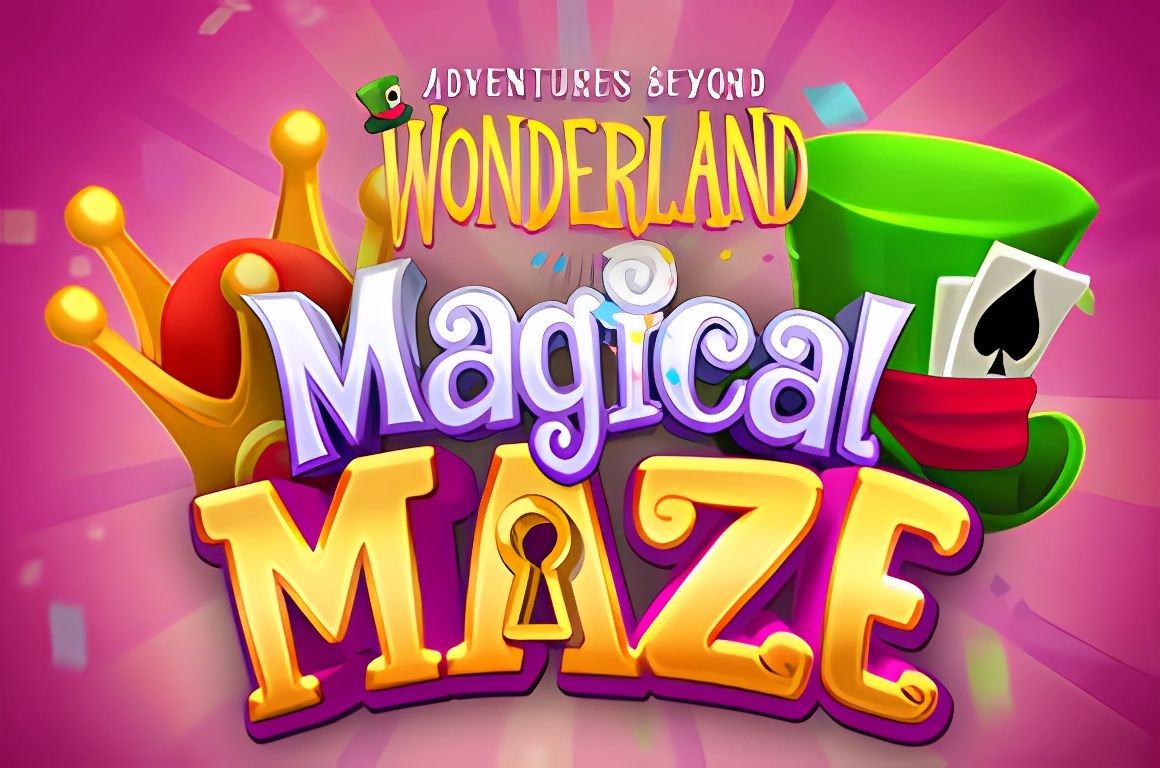
Play Adventures Beyond Wonderland Magical Maze slot online at King Casino
*Any values mentioned are subject to change.
About the Game
Adventures Beyond Wonderland Magical Maze is a line pay, 5×5 symbol snake-tumbling game featuring Wilds and Power Glyphs™ that award Power-Ups. Get the White Rabbit to the rabbit hole to go into one of the 3 different Free Spins worlds.
The RTP is shown in-game.
Special Symbols
White Rabbit
You win Free Spins by getting the White Rabbit to the rabbit hole at the bottom of the screen.
The White Rabbit starts at the top of the snaking reel each new game round.
Wild
Wins on 3 or more low symbols without Wilds or Power Glyphs™ spawn a Wild.
Wild symbols substitute for all symbols except Power Glyph™ and White Rabbit.
Power Glyph™
Wins on 3 or more medium symbols or Wilds spawn a Power Glyph™.
Power Glyph™ symbols substitute for all symbols except White Rabbit.
Game Features
At the start of a game round, the Power-Up Stack is filled with 12 random Power-Ups.
Any Power Glyph™ that is part of a win activates the next Power-Up in the Power-Up Stack.
When there are no more wins, the next active Power-Up is started.
The following Power-Ups exist:
- Walter Wilds – Selects 3-5 random positions on the grid and turns them into Wilds. White Rabbit cannot be turned into a Wild.
- Queens Guards – Removes 1 entire column of symbols and creates a Power Glyph™ in the middle.
- A Different Reality – Selects 1 random low symbol type on the grid and transforms it to a more valuable symbol type.
- Switch Places – The whole grid is shuffled, except the White Rabbit.
Free Spins
You win Free Spins by getting the White Rabbit to the rabbit hole at the bottom of the screen.
Before Free Spins, a random Free Spins world out of the existing 3 is selected.
A random amount of Free Spins between 6 and 8 are awarded.
In Free Spins, the Power-Up connected to the current Free Spins world is more powerful and more frequent in the Power-Up Stack:
Queen of Hearts Free Spins
Queens Guards: Removes 2 entire columns of symbols and creates a Power Glyph™ in the middle of them.
Cheshire Cat Free Spins
A Different Reality: Selects 2 random low symbol types on the grid and transforms them to a more valuable symbol type.
Mad Hatter Free Spins
Switch Places: The whole grid is shuffled more and gives a better result. The White Rabbit is not shuffled.
Retrigger Free Spins
Get the White Rabbit to the rabbit hole at the bottom of the screen to get between 1 and 5 extra Free Spins and go into one of the 3 different Free Spins worlds.
Buy Feature
You can buy entry into the Free Spins.
By paying 60x bet the feature will trigger immediately.
Free Spins work the same as when triggering by chance.
The RTP is shown in-game.
The Buy Feature may not be available in all jurisdictions.
How to Play
Video slots are very easy to play. Just follow the 3 steps:
- Choose your total bet
- Press the SPIN symbol button
- Check for any win in the WIN field
For more understanding of Settings, Game Rules, and Game Features read the text below.
Description of Game Functionality
Bet
The Total Bet is shown in the TOTAL BET display. Change the bet by clicking on the display and choosing the total bet of your choice.
Spin
The game is started by pressing the SPIN symbol button.
While the symbols are falling, you can quick stop the game by pressing the screen (where available).
Win
Any total win in a game round will be displayed in the WIN field.
Symbol pays are displayed in the paytable, and reflect the current bet configuration.
Wins are awarded for the combination of 3 or more matching symbols in a row vertically or horizontally. A single symbol can be involved in multiple winning combinations.
Only the highest win combinations are paid.
Separate wins will be displayed during the win presentation.
In Free Spins only the total win for each spin is shown in the WIN field while the accumulating win for all Free Spins is shown in the TOTAL WIN field.
Paytable
All winning combinations in the game can be viewed in the paytable, which can be reached through the ‘i’ button in the keypad menu.
Autoplay (Where Available)
Using Autoplay will let you play a number of game rounds automatically.
Press AUTOPLAY and choose a number of game rounds to initiate Autoplay.
The remaining number of spins is displayed while Autoplay is active.
Autoplay is stopped by pressing the STOP button.
Please note that Autoplay is not available in the UK.
Advanced Autoplay Settings (Where Available)
The Advanced Autoplay settings allow the player to set number of plays, total session loss limit, and single win limit.
Autoplay will stop when any of the selected limits are exceeded.
Fast Play (Where Available)
The Fast Play functionality is used to get the shortest game round possible.
Fast Play is initiated from the button in the keypad.
Desktop Version Settings (Where Available)
Sound
This setting allows you to choose if the game should play sounds and music.
Use Space for Spin
This setting allows you to use your Space Bar on your keyboard to initiate game rounds.
Show Splash Screen on Start-Up
This setting allows you to switch the game’s Splash Screen on and off.
Mobile Version Settings
Player Controls
HOME symbol redirects back to the mobile game lobby.
GAME CONTROLS are reached by tapping the GAME CONTROLS icon.
Game Controls
Access GAME CONTROLS to change TOTAL BET size and access the AUTOPLAY settings.
On the side panel access CLIENT SETTINGS by tapping the SETTINGS ICON.
In SETTINGS, SOUND selection allows you to choose if the game should play sounds and music.
In SETTINGS, REPLAY will take you to gameplay history.
PAYTABLE icon accesses game PAYTABLE.
The ‘?’ symbol opens GAME RULES.
Adventures Beyond Wonderland Magical Maze Demo Mode & Free Play Explained
A common way for players to explore a slot is by searching for a Adventures Beyond Wonderland Magical Maze demo or Adventures Beyond Wonderland Magical Maze free play option. Since this website does not offer demo or free play versions, we’ve created this page to give you the same type of insight in a different way.
Here, you’ll find a clear outline of how the game is structured, including its main features, bonus rounds, and the role of special symbols.
This overview provides the knowledge you could gain from trying a Adventures Beyond Wonderland Magical Maze demo version, making it easier to understand the experience in advance.
*All values (Bet Levels, Maximum Wins etc.) mentioned in relation to this slot game are subject to change at any time. Game features mentioned may not be available in some jurisdictions.